Mobimint

Orders from your app. Customers from your app. Push campaigns. App analytics. All of it lives inside your existing Shopify or WooCommerce dashboard — the one you already know, already use, and already have open every single day. No new logins. No new interfaces. No new complexity.

The average ecommerce store owner manages 6–8 tools every day. Mobimint refuses to be another one.

You already have your store dashboard. Your email platform. Your ads manager. Your analytics. Your shipping tool. Your customer support inbox. And now every app builder on the market wants to add their own dashboard on top of all of that.

Log in here to check app orders. Log in there to manage push campaigns. Switch tabs to check analytics. Open another window for customer data. By the time you’ve checked everything, half your morning is gone.

Two dashboards means double the work

Every time a customer places an order through your app, you manage it in the app dashboard — then reconcile it with your store dashboard. That’s two systems tracking the same event, creating confusion, duplication, and wasted time.

Your team has to learn a new tool

Your operations team knows your store dashboard. Every new platform you add means training, errors during the learning curve, and resistance. The more tools, the more that can go wrong.

Data lives in different places

App revenue here. Store revenue there. Which numbers do you trust? Which dashboard do you report from? When your data is split across systems, the picture is always incomplete.

Every extra login is a friction tax on your day

Small friction compounds. Switching tabs, remembering passwords, waiting for dashboards to load — none of it is dramatic, but all of it adds up. Every minute spent managing tools is a minute not spent on growing your store.

One dashboard. Your entire store — website and app — in one place.

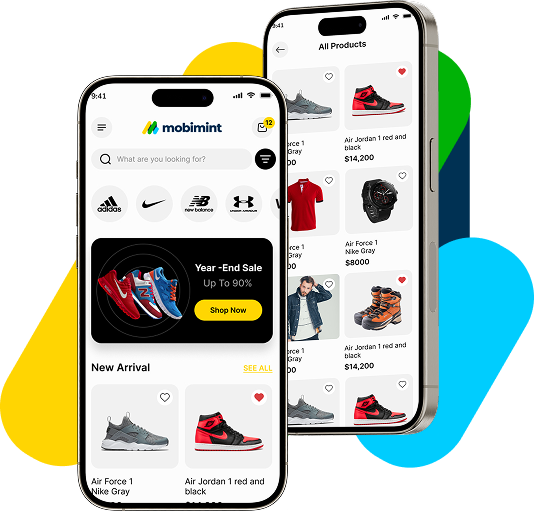
When you install Mobimint, your app doesn’t create a parallel universe. It extends the one you already have. Every order your customers place through the app appears in your existing order management system. Every customer who downloads your app appears in your existing customer list. Every push notification you send is managed from your existing marketing interface.

Your store dashboard was always the centre of your business. With Mobimint, it stays that way.

WHAT YOU MANAGE FROM ONE PLACE — 6 unified functions:

Orders — app and store, together

Every order placed through your Mobimint app flows directly into your existing order management dashboard — Shopify Orders or WooCommerce Orders. Same view, same fulfilment workflow, same shipping integrations. Your team doesn't need to change a single process. App orders are just orders.

Customers — one complete list

Customers who purchase through the app are added to your existing customer database. Their purchase history, contact details, and app activity all sit in the same customer profile your team already uses. Segment, export, email — everything works exactly as it did before, just with richer app data added.

Products & inventory — always in sync

Any product you add, edit, or remove in your store dashboard is instantly reflected in your app. Price change at 10am? App updates at 10am. New collection added? Immediately live in the app. You manage your catalogue once — it appears everywhere.

Push notifications — from your marketing interface

Create, schedule, and send push notification campaigns directly from your existing marketing dashboard. No separate push platform. No extra tool. Your campaigns sit alongside your other marketing activities so your team has a complete view of what's going out and when.

App analytics — inside your store reports

App revenue, app conversion rate, top-performing products in the app, push notification performance — all of it appears inside your existing reporting dashboard. Compare app performance to website performance in the same view. Make decisions from one source of truth.

App design — managed from your store backend

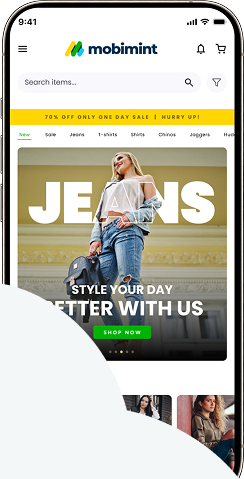
Need to update a banner? Change a featured collection? Add a flash sale block? Open your store backend, go to the Mobimint section, make the change. No separate login. No separate builder interface to remember.

Every competitor adds to your workload. Mobimint reduces it.

Metric

Custom Dev

MobiLoud

GoodBarber

Install once. Everything connects. Nothing changes in how you work.

Step 1

 Install the Mobimint plugin

Add Mobimint to your Shopify or WooCommerce store from the app store or plugin directory. The setup connects Mobimint directly to your store’s core data — orders, products, customers, inventory. Takes under 5 minutes.

Step 2

Build your app in the familiar environment

The Mobimint app builder lives inside your store backend. Open your dashboard, find the Mobimint section, and build your app from the same environment you use every day.

Step 3

Your app goes live — your workflow stays the same

When customers start ordering through the app, everything flows into your existing systems. Your team sees no change to their workflow. Your reporting shows no new platforms. Just more orders, from a new channel, managed in the same place.

If any of these sound familiar, Mobimint's unified dashboard is built for you.

The solo founder

You run everything yourself. The last thing you need is another platform to check every morning. Mobimint keeps your entire business — website and app — in the same tab you already have open.

The small team (2–10 people)

Your team has defined roles and existing workflows. You can’t retrain everyone on a new platform every time you add a sales channel. Mobimint adds an app channel without adding an operations burden.

The ops-focused owner

62% of WooCommerce stores are run by solo entrepreneurs or micro-teams. Mobimint’s builder requires zero code and zero developer involvement. You build it, you manage it, you update it — entirely from your own dashboard.

The scaling brand

You’re growing fast. More orders, more customers, more channels. The last thing a scaling brand needs is data fragmented across platforms. Mobimint keeps your single source of truth intact as you grow.

Testimonials

Frequently asked questions

Does Mobimint really live inside my Shopify or WooCommerce dashboard?

No. Your fulfilment team sees app orders in the same orders view they use today. Your marketing team manages push campaigns from the same marketing section. The only new thing they learn is where the Mobimint section is in the sidebar — which takes about 30 seconds.

No. Your fulfilment team sees app orders in the same orders view they use today. Your marketing team manages push campaigns from the same marketing section. The only new thing they learn is where the Mobimint section is in the sidebar — which takes about 30 seconds.

Yes — fully. All WooCommerce variable products, custom attributes, and product variations sync natively. Customers see variant-specific images, select their options, and add to cart exactly as they would on your website.
Changes sync to the app immediately through the REST API. Price update, stock change, new image, description edit — anything you change in WooCommerce appears in the app within seconds. No manual sync required.
Yes — all WooCommerce coupon codes work natively in the app checkout. Customers can enter discount codes at cart or checkout and they apply exactly as they do on your website.

Stop managing two businesses. Start managing one — with an app built in.

30-day free trial. No credit card. Works with Shopify & WooCommerce. Your app, your orders, your customers — all in the dashboard you already use.

Works with Shopify & WooCommerce · 30-day free trial · Cancel anytime · No separate dashboard

Scroll to Top

Turn your store into a mobile app

Build feature-rich Android & IOS apps for your store in minutes.

Trusted by 10,000 +

Shopify & WooCommerce Merchants

1
Choose Platform
2
Store Informations
3
Last Page

Choose Your Platform

Select the platform your store is built on

We don't store your store access details without your permission your data is secure with us

1
Choose Platform
2
Store Informations
3
Last Page

Select Informations

Please provide your store details

Store URL *
Entre your store URL (e.g. yourstore.com)

Do you have an existing mobile app?

Approx. Monthly Orders (Optional)

1
Choose Platform
2
Store Informations
3
Last Page

Contact Information

Name *
Email Address *
Phone number *

Thank You!

Your request has been submitted successfully.

Our mobile app expert will contact you within 24 hours.