01
Drag-and-drop builder
Build contact, inquiry, quote and custom forms visually, with the fields you need and your store’s look and feel.
Create contact, inquiry, quote and custom forms with drag and drop, then add them anywhere on your Shopify store. Collect files, send automatic replies and push every submission to the tools you already use. No coding needed.


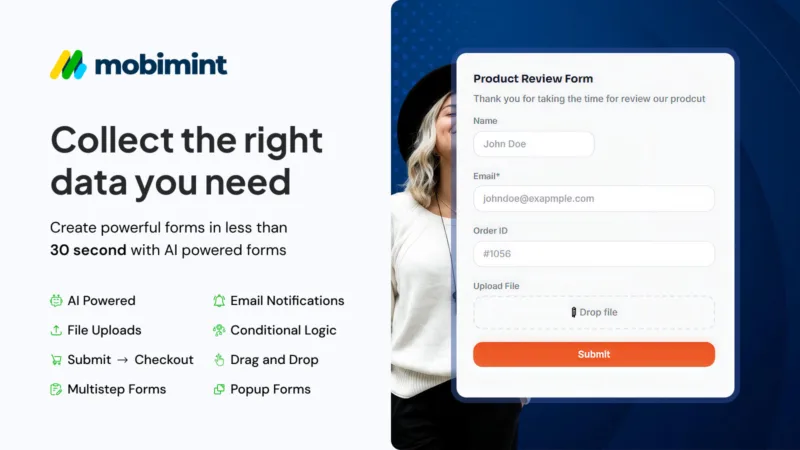
Shopify’s built-in contact form is basic. As your store grows you need forms that ask the right questions, accept files and send leads straight to your team.
Mobimint Form Builder gives you a visual builder, ready-made templates and smart features like conditional logic and CAPTCHA, so you capture better leads with less spam.
Every submission is stored in the app, emailed to you and, if you like, sent on to Google Sheets, Klaviyo, Mailchimp, HubSpot and more.
Everything you need to collect the right information from customers and act on it fast.
Build contact, inquiry, quote and custom forms visually, with the fields you need and your store’s look and feel.
Let customers attach images, artwork or documents, with file-size limits you control.
Show or hide fields based on earlier answers, so every customer only sees the questions that matter.
Send instant confirmation emails to customers and notification emails to your team.
Send submissions to Google Sheets, Klaviyo, Mailchimp, HubSpot, Slack, Dropbox, Google Drive, Zapier, Make, n8n or a webhook.
CAPTCHA keeps bots out. Export submissions and track form analytics from one dashboard.
Start free and upgrade only when you need more forms or features.
Add Mobimint Form Builder from the Shopify App Store. A free plan is available.
Start from a template or a blank form and drag in the fields you need.
Place the form on any page with the theme editor, or embed it where you need it.
Get notified for every submission, reply fast and send data to your other tools.
Need a custom form or workflow? Our Shopify team can build it for you.
Yes. The free plan lets you create a few forms with basic notifications and small file uploads. Paid plans add more forms, larger uploads and integrations. See current plans on the Shopify App Store.
Contact, inquiry, quote request, product question, custom order and wholesale or B2B registration forms, plus any custom form you design.
Yes. Customers can attach files such as images or documents, and you set the maximum file size.
Yes. Forms are added through the Shopify theme editor and can be styled with custom CSS to match your store.
Google Sheets, Mailchimp, Klaviyo, HubSpot, Slack, Dropbox, Google Drive, Zapier, Make, n8n and custom webhooks, depending on your plan.
Yes. See our Shopify wholesale registration form page for approvals and automatic customer tagging.


Install Mobimint Form Builder free from the Shopify App Store, or ask our team to set up your forms for you.

Your request has been submitted successfully.
Our mobile app expert will contact you within 24 hours.