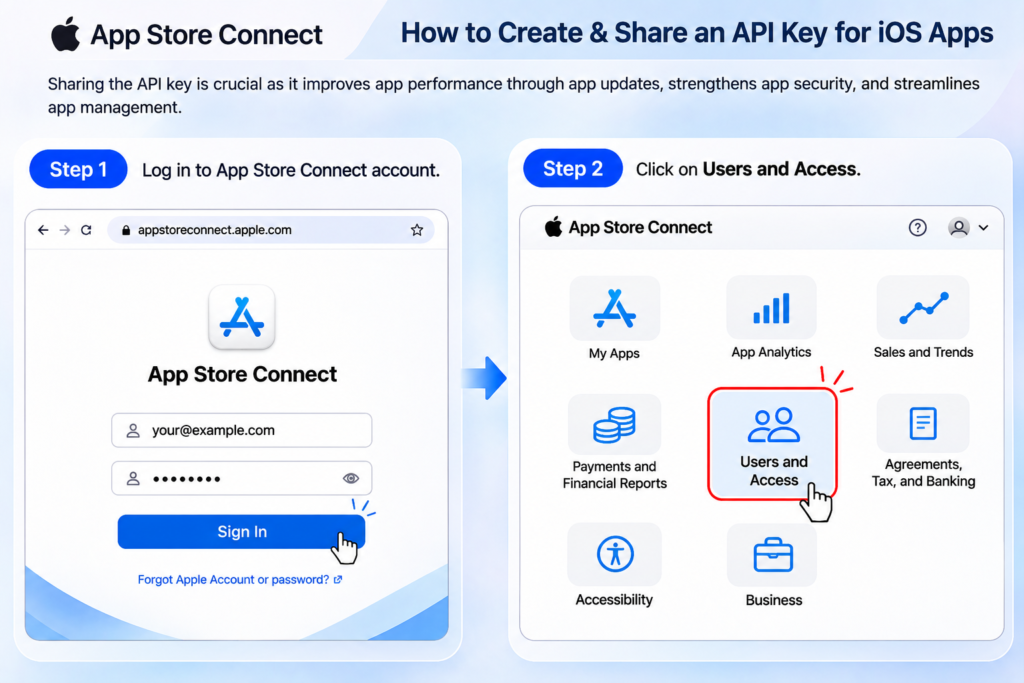
Sharing the API key is crucial as it improves app performance through app updates, strengthens app security, and streamlines app management. This help document provides detailed step-by-step instructions on how to create and share the API key for iOS apps.
Step 1: Log in to App Store Connect account.
Step 2: Click on Users and Access.
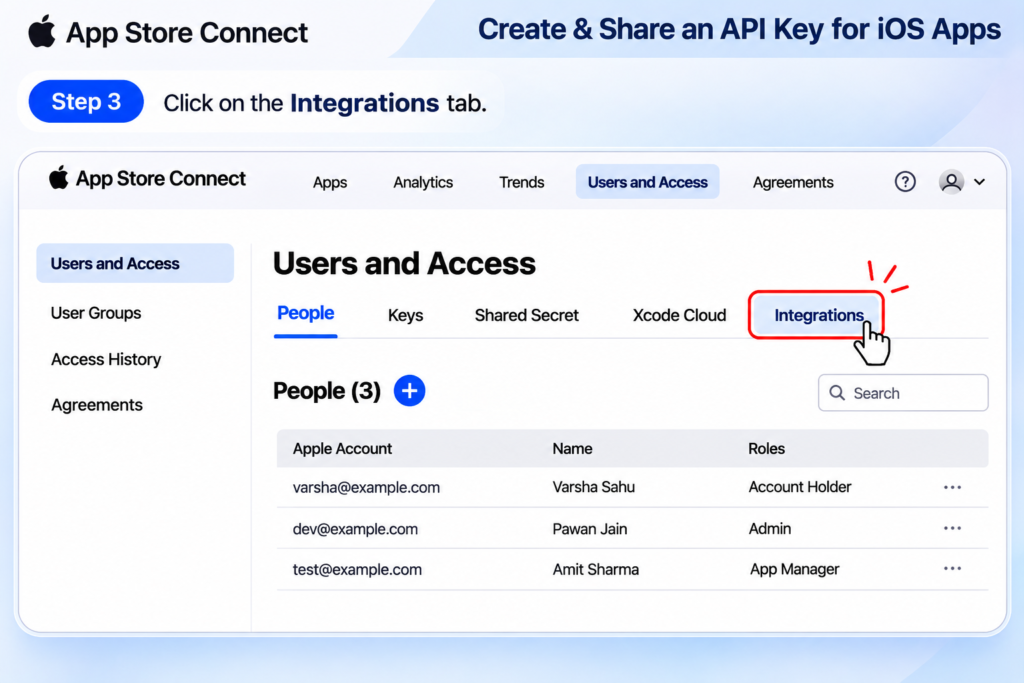
Step 3: Click on the Integrations tab.
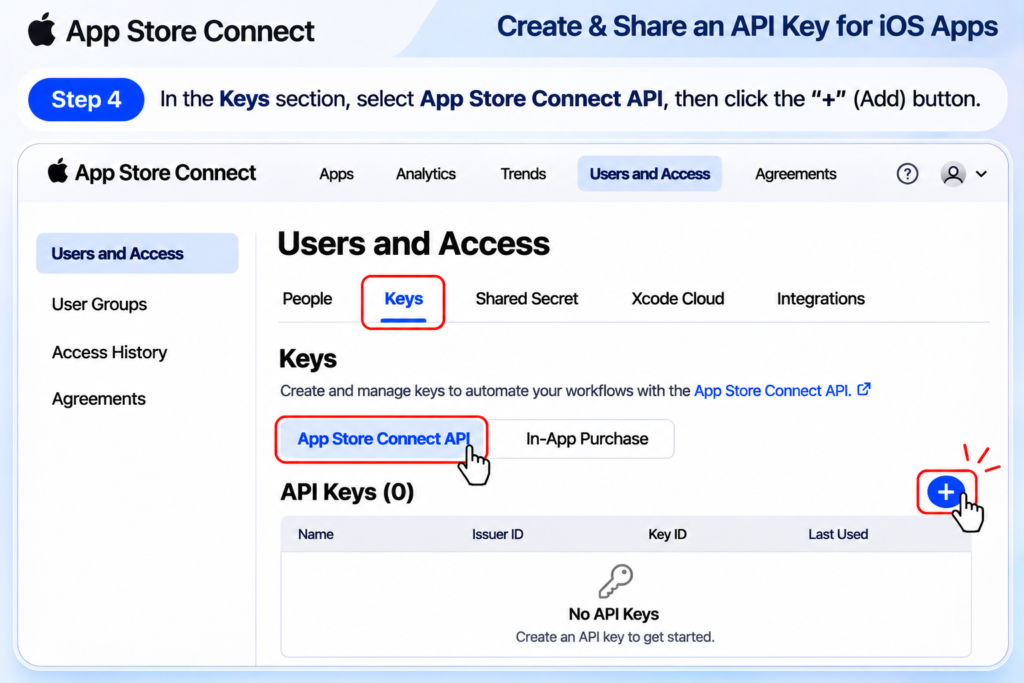
Step 4: In the Keys section, select App Store Connect API, then click the “+” (Add) button.
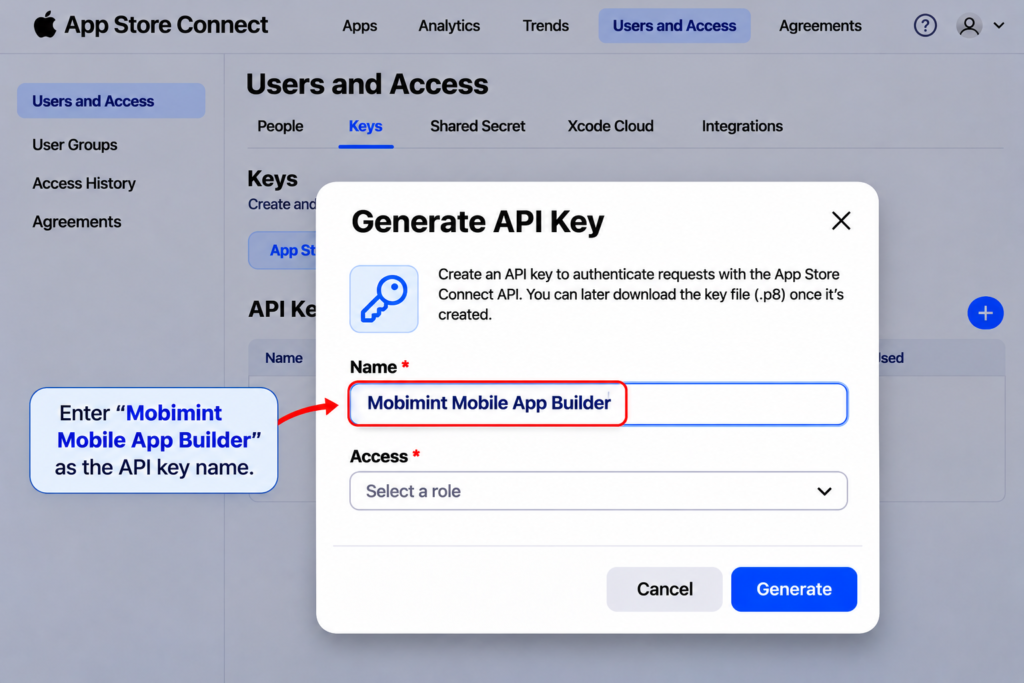
Step 5: A Generate API Key pop-up window will appear.
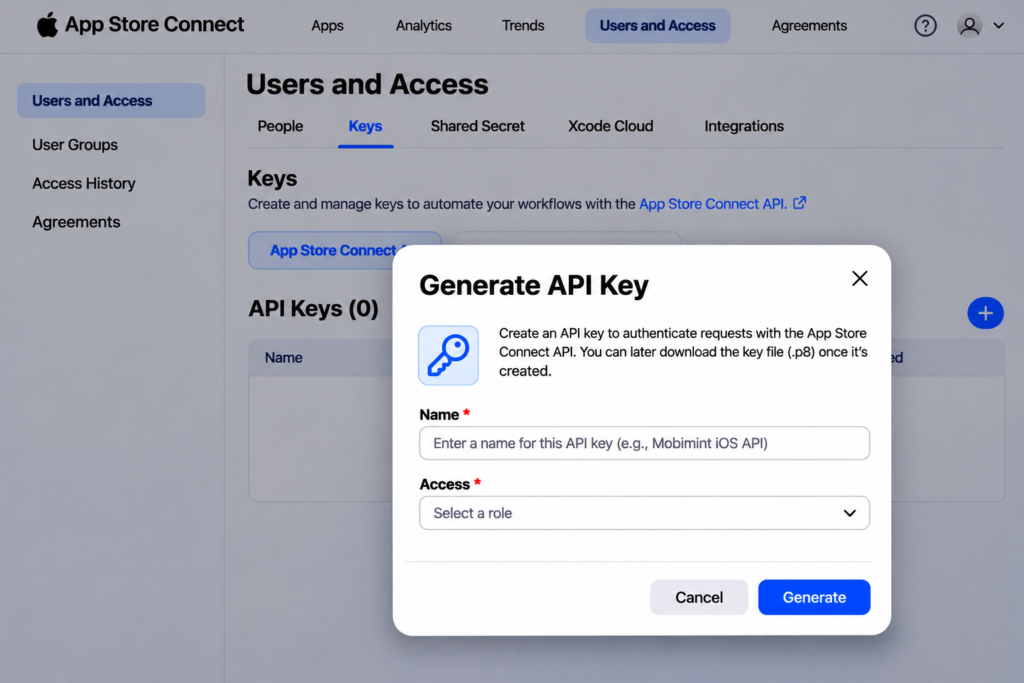
Step 6: Enter “Mobimint Mobile App Builder” as the API key name.
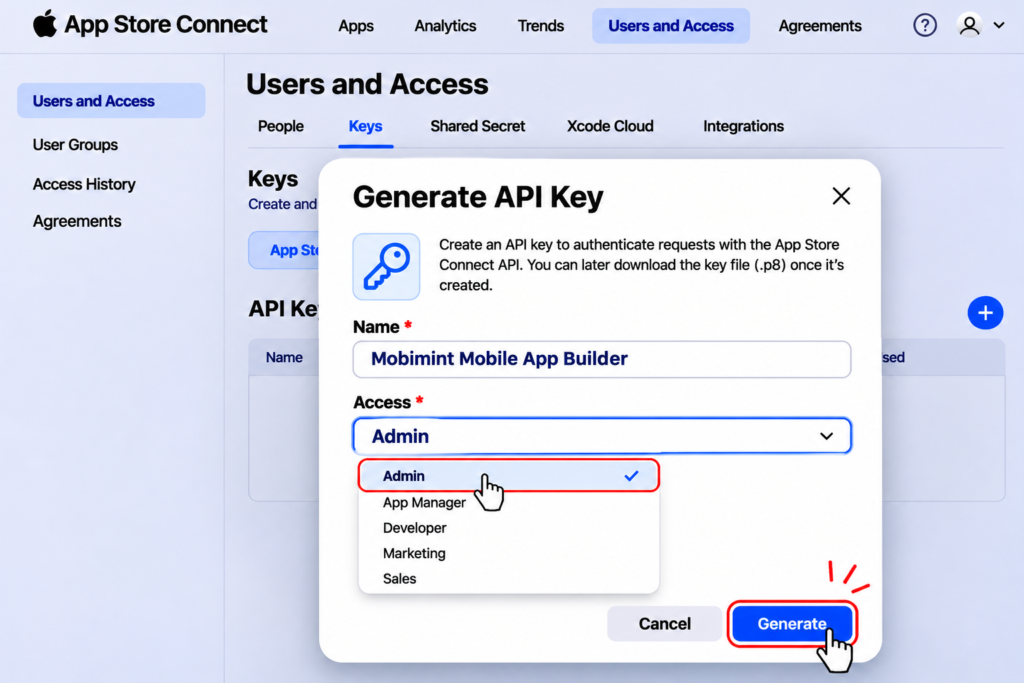
Step 7: In the Access section, choose the Admin role for the key, then click Generate.
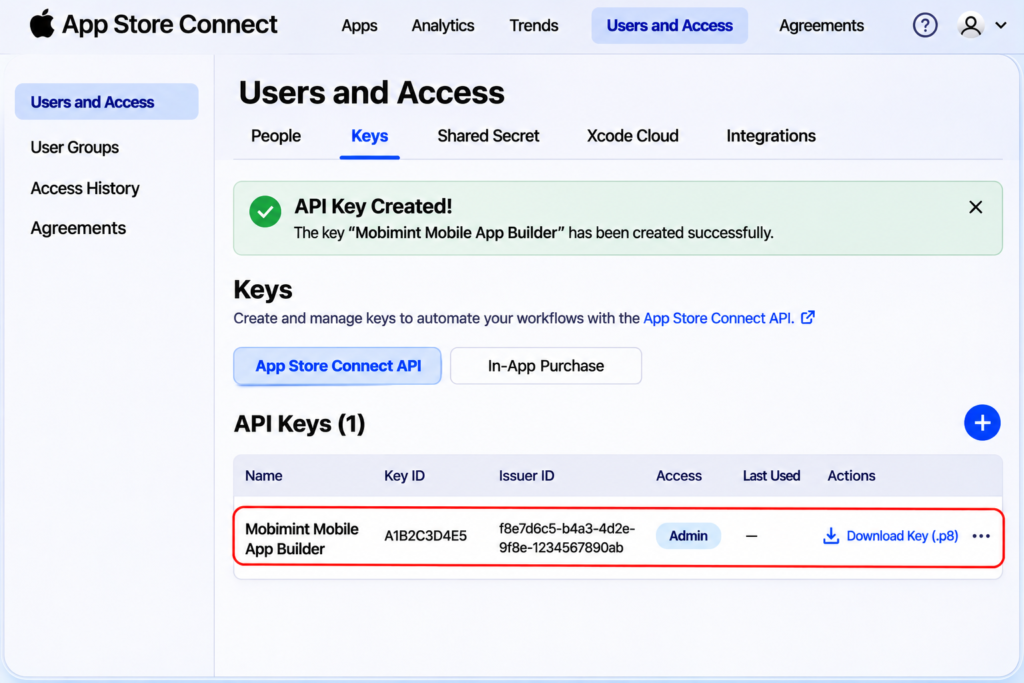
Step 8: The newly created key’s name, Key ID, download link, and other details will be displayed.
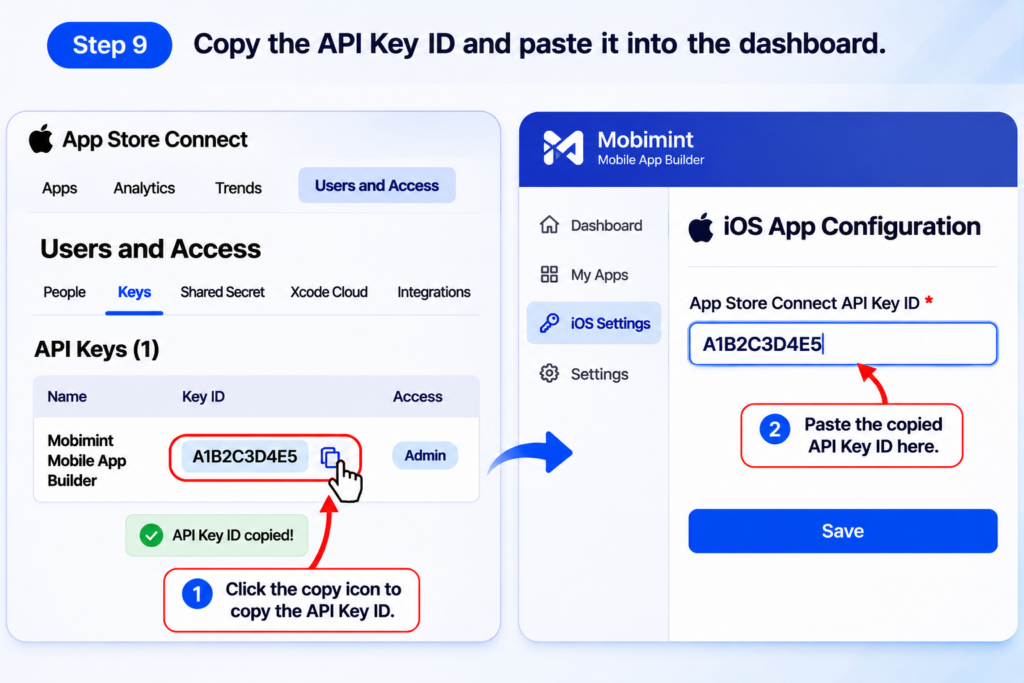
Step 9:Copy the API Key IDand paste it into the dashboard.
If you have any questions or need any assistance in performing the steps, please reach out to us at hello@mobimint.co
Still need help?
Our team is happy to help you build and launch your app.