Mobimint

Retrieval of API Key ID – iOS

Skip to main content
< All Topics
Print

Sharing the API key is crucial as it improves app performance through app updates, strengthens app security, and streamlines app management. This help document provides detailed step-by-step instructions on how to create and share the API key for iOS apps.

Step 1: Log in to App Store Connect account.

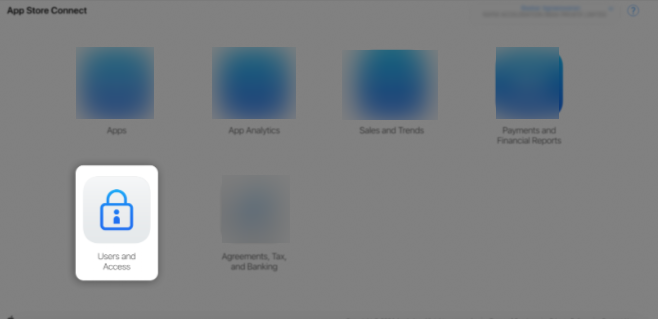
Step 2: Click on Users and Access.
Sample Image

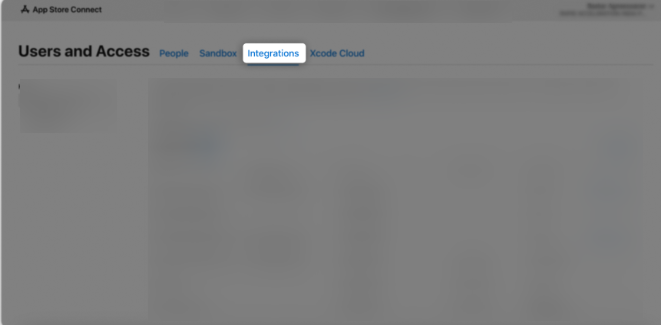
Step 3: Click on the Integrations tab.
Sample Image

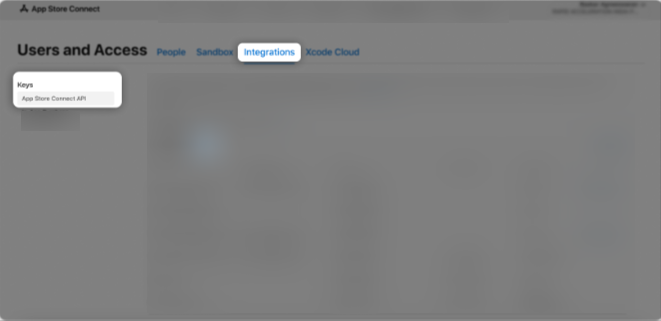
Step 4: In the Keys section, select App Store Connect API, then click the “+” (Add) button.
Sample Image

Step 5: A Generate API Key pop-up window will appear.
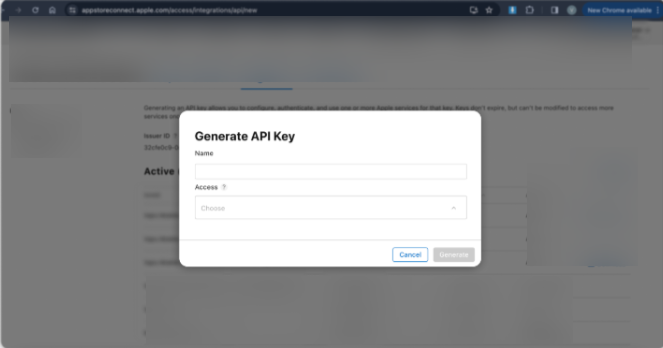
Sample Image

Step 6: Enter “Mobimint Mobile App Builder” as the API key name.
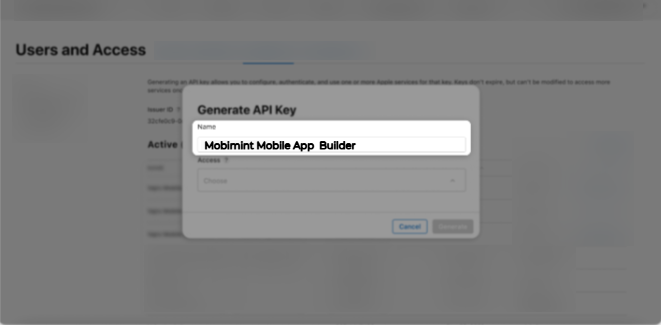
Sample Image

Step 7: In the Access section, choose the Admin role for the key, then click Generate.
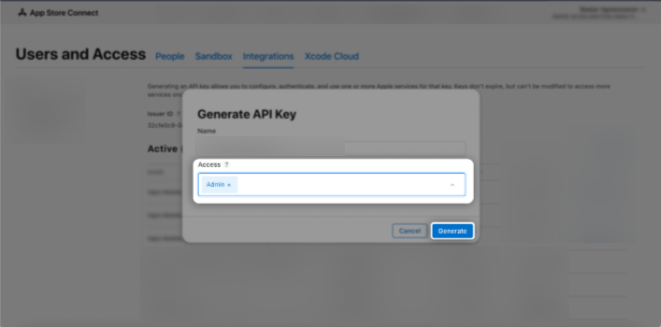
Sample Image

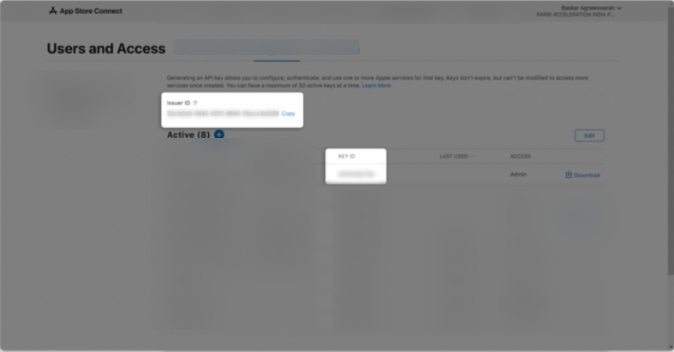
Step 8: The newly created key’s name, Key ID, download link, and other details will be displayed.
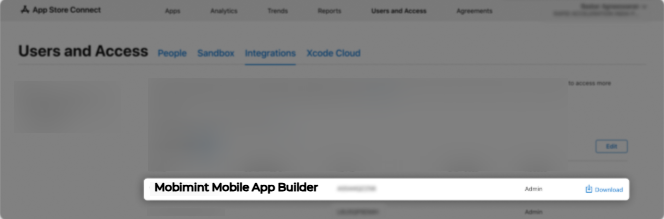
Sample Image

Step 9:Copy the API Key IDand paste it into the dashboard.
Sample Image

If you have any questions or need any assistance in performing the steps, please reach out to us at support@mobimint.co.

Table of Contents
Scroll to Top

Turn your store into a mobile app

Build feature-rich Android & IOS apps for your store in minutes.

Trusted by 10,000 +

Shopify & WooCommerce Merchants

1
Choose Platform
2
Store Informations
3
Last Page

Choose Your Platform

Select the platform your store is built on

We don't store your store access details without your permission your data is secure with us

1
Choose Platform
2
Store Informations
3
Last Page

Select Informations

Please provide your store details

Store URL *
Entre your store URL (e.g. yourstore.com)

Do you have an existing mobile app?

Approx. Monthly Orders (Optional)

1
Choose Platform
2
Store Informations
3
Last Page

Contact Information

Name *
Email Address *
Phone number *

Thank You!

Your request has been submitted successfully.

Our mobile app expert will contact you within 24 hours.